For development work, it can be installed locally or a docker container can be used.
-
brew install kafka
-
Docker Container
-
wurstmeister/kafka. separate images for Kafka and Zookeper. Run with Dockr Compose.
-
spotify/docker-kafka. Container includes both Zookeeper and Kafka.
-
landoop/fast-data-dev. Provides a convenient UI and can used with Cloudera Bigdata distribution.
-
confluentinc/cp-kafka. Official distribution from Confluent.
-
Basic Demo
-
Start Docker Container locally
-
Create a Topic
-
Produce to a Topic
-
Consume from Topic
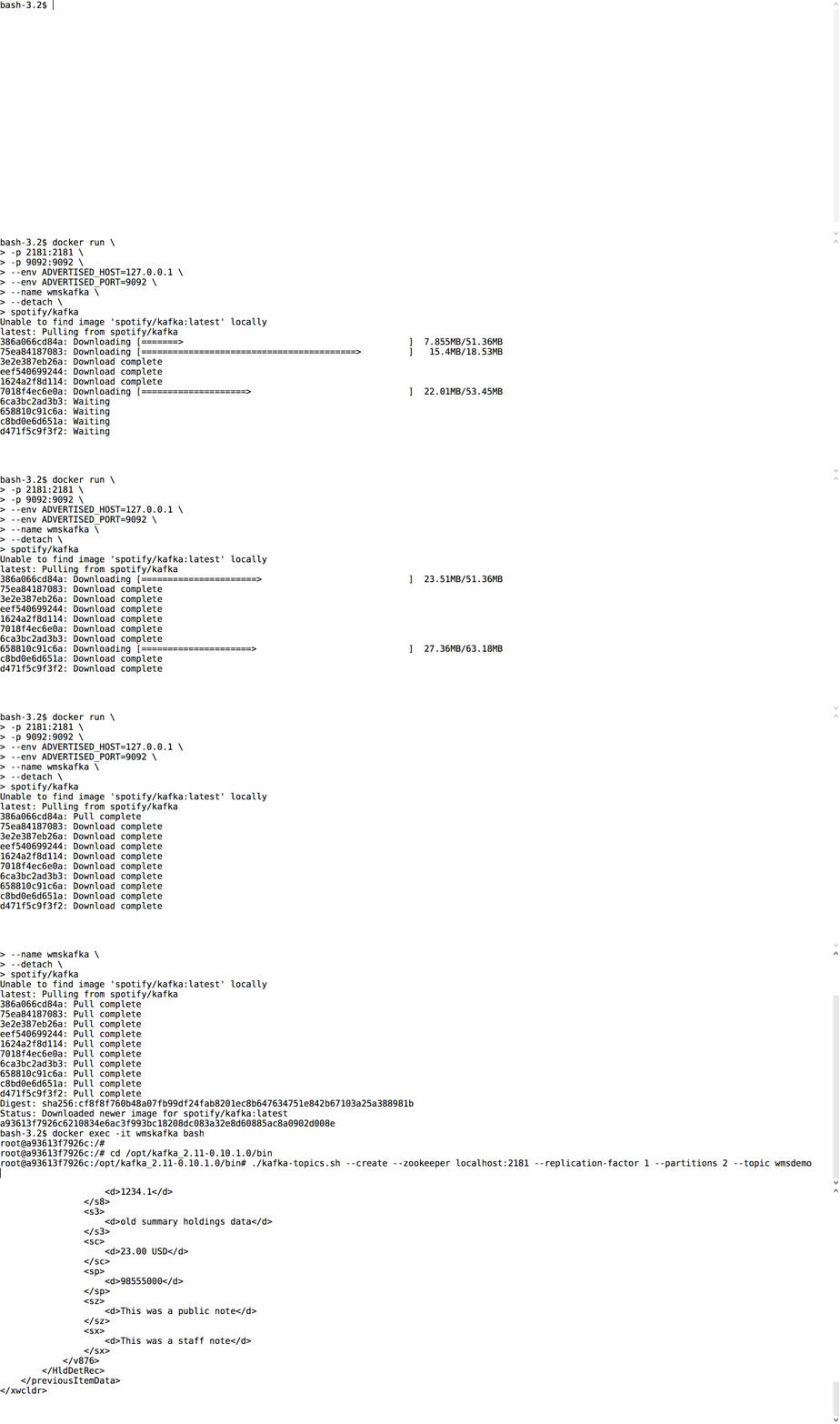
Start Spotify/Kafka Docker container
docker run \
-p 2181:2181 \
-p 9092:9092 \
--env ADVERTISED_HOST=127.0.0.1 \
--env ADVERTISED_PORT=9092 \
--name wmskafka \
--detach \
spotify/kafka
Create a Topic
Run bash in the container.
-i interactive flag to keep stdin open
-t allocate a terminal
docker exec -it wmskafka bash

cd /opt/kafka_2.11-0.10.1.0/bin

./kafka-topics.sh --create --zookeeper localhost:2181 --replication-factor 1 --partitions 2 --topic wmsdemo
Number of partitions is the degree of parallelism for reads and writes.
Produce and Consume
Produce to a topic
./kafka-console-producer.sh --broker-list localhost:9092 --topic wmsdemoOpen a new terminal for the consumer
docker exec -it wmskafka bash

cd /opt/kafka_2.11-0.10.1.0/bin

./kafka-console-consumer.sh --bootstrap-server localhost:9092 --topic wmsdemo --from-beginning
Enter text in producer terminal for output in the consumer terminal.
Java API
Execute Producer
java -cp target/ProducerDemo.jar com.demo.ProducerExample 127.0.0.1 9092 wmsdemo \
1000 10 100 50
parameters are 1. Broker host name 2. Broker port 3. Topic name 4. Number of messages to send 5. Number of messages between thread waits 6. Wait time to slow down publishing 7. execute a call back every N messages
Execute Consumer
java -cp target/ConsumerDemo.jar com.demo.ConsumerExample 127.0.0.1 9092 wmsdemoparameters are 1. Broker host name 2. Broker port 3. Topic name
Sync Kafka
An MQ Connector could be used to write from the current queue to a Kafka topic. Given the unknowns, it may be practical to write directly to a Kafka topic.
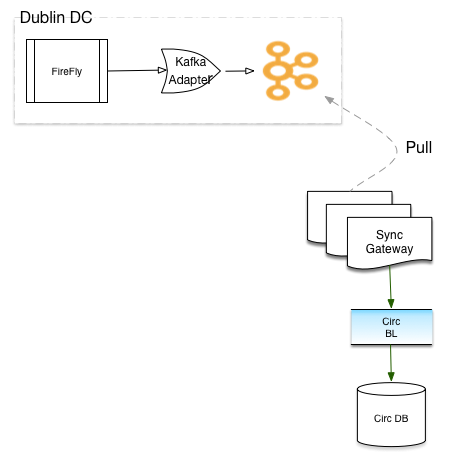
Split topics
Available options for splitting Topic
* Kafka Streams
* Spark Streaming
* Handled by Producer
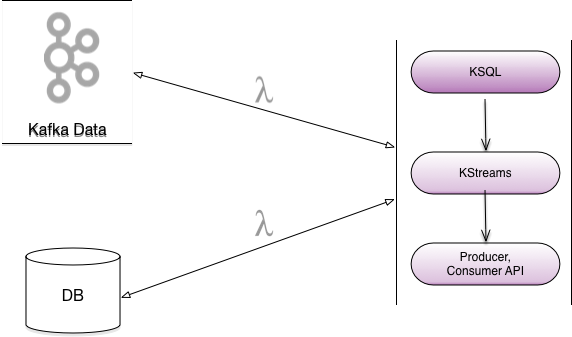
Topic Criteria
* Batch Processing
* Real Time
* Message Ordering
Spring
Kafka is supported by Spring Boot and Spring integration.This would allow reuse of existing code base.
Failures
Transaction Support
Kafka supports atomic writes across mulitple partitions with the Transaction API.
producer.initTransaction();
try {
	producer.beginTransaction
	producer.send(record1);
	producer.send(record1);
	....
	producer.commitTransaction();
}
catch (KafkaException e) {
	producer.abortTransaction();
}
Idempotent Producer
Apache Kafka and Streams provide Exacltly-once semantics. This ensures exactly once message delivery per partition.
Downstream processing failures
There are multiple approaches to handling failures in downstream processing.
Messages are persisted and can be read from the last offset.
Messages can be written to a new topic for later processing.
Circuit Breaker implementation in Spring cloud libraries provides Hystrix and Consul.
This can be used in combination with Spring Actuator that we currently have.
Testing
Spring Boot comes with an embedded Kafka and can be used for testing.
Kafka API provides MockProducer and MockConsumer to mock interactions with Kafka cluster.
There is also an Open Source Junit Kafka wrapper from Salesforce.
Development effort
Understanding the configuration knobs
Design of Topics and Partitions
Processing of the message can reuse exisiting code
Cutting edge always has surprises - unknown unknowns.